如果只是更换主控IP,不迁移主控,可以在主控后台操作,或者登录机器手动更换,二选一。
在主控后台上操作:
1)首先登录官网修改授权的主控 IP
2)在主控后台,找到“系统管理”-》“维护操作”,在“节点配置的主控IP”输入新主控IP,点击“创建设置任务”,之后点击“查看任务”查看设置进度,如图:
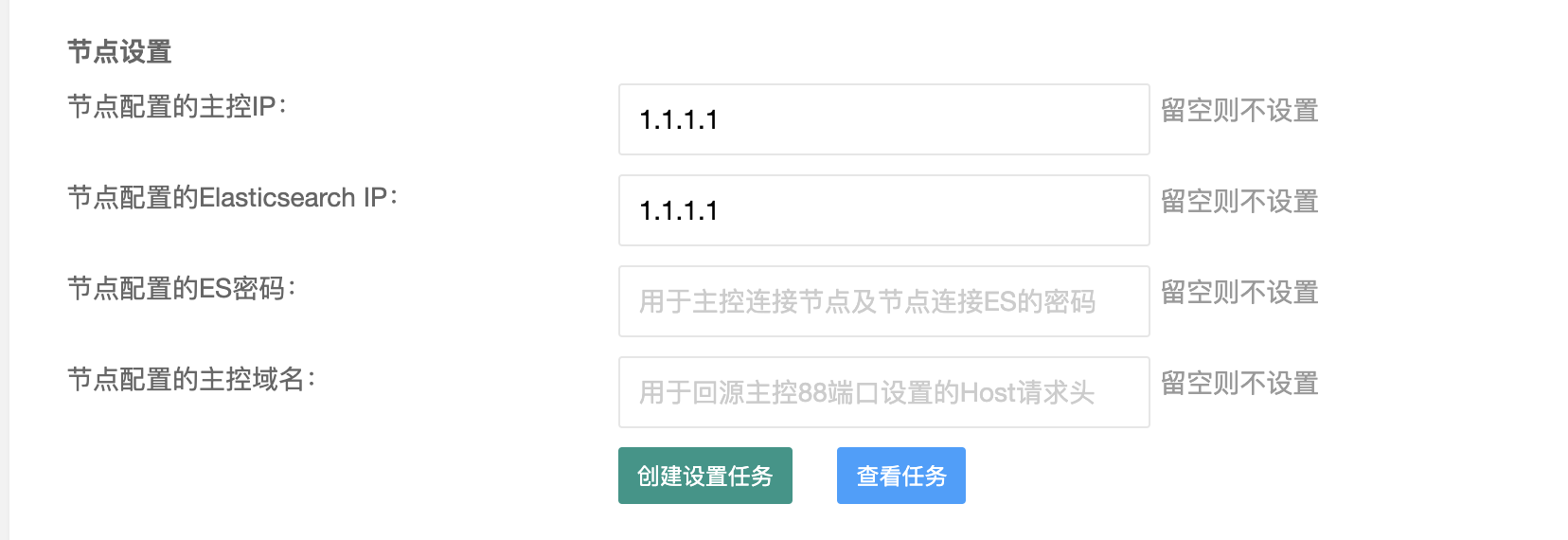 或者登录机器手动更换:
new_master_ip="这里替换为主控IP";
new_master_port="这里替换为主控通讯端口"
sed -i "s/ES_IP =.*/ES_IP = \"$new_master_ip\"/" /opt/cdnhao/agent/conf/config.py;
sed -i "s/MASTER_IP.*/MASTER_IP = \"$new_master_ip\"/g" /opt/cdnhao/agent/conf/config.py;
sed -i "s/MASTER_PORT.*/MASTER_PORT = \"$new_master_port\"/g" /opt/cdnhao/agent/conf/config.py;
sed -i "s/hosts:.*/hosts: [\"$new_master_ip:9200\"]/" /opt/cdnhao/agent/conf/filebeat.yml;
chattr -i /usr/local/openresty/nginx/conf/listen_80.conf /usr/local/openresty/nginx/conf/listen_other.conf ;
chattr -i /usr/local/openresty/nginx/conf/;
sed -ir "s#http://.*:\d+#http://$new_master_ip:${new_master_port}#" /usr/local/openresty/nginx/conf/listen_80.conf /usr/local/openresty/nginx/conf/listen_other.conf ;
ps aux | grep [/]usr/local/openresty/nginx/sbin/nginx | awk '{print $2}'  | xargs kill -HUP ||  true;
supervisorctl -c /opt/cdnhao/agent/conf/supervisord.conf restart filebeat;
supervisorctl -c /opt/cdnhao/agent/conf/supervisord.conf restart agent;
supervisorctl -c /opt/cdnhao/agent/conf/supervisord.conf restart task;
注:主控通讯端口是在升级页面中的节点安装命令里--master-port后面的端口,如图:
